A photo does the typing
TallyBowl! reads the score screen on your device and fills in your frames when every delivery checks out. Anything uncertain comes to you to confirm.
Coming in 2027 to Apple & Android
TallyBowl! tracks your balls, your bowling centers, your practice sessions, and your league sessions on iPad, Mac, and Android. No web services required, and nothing for your bowling center to do. Just take a photo of the score screen and verify the result.
$9.95 on the App Store · $9.95 on Google Play

Three steps.
Your center does nothing.
Of the final score screen
Check each frame against the screen
Tag your balls and add your notes
Less typing. More bowling.
You don’t need an account or a web service, and your bowling center doesn’t have to participate in anything. If you can take a photo of the score screen, you’re set.
A few things to knowTallyBowl! reads the score screen on your device and fills in your frames when every delivery checks out. Anything uncertain comes to you to confirm.
Pick from offline suggestions or add any ball you like. Tag the balls you use in each game, and retire one without losing its history.
Save the places you bowl. Search for a center, pin it on a map, or type it in by hand. Saved centers work offline.
Log the center, date, lane or lane pair, and notes, with an optional league name. Each session keeps its games together.
Follow your averages, high games, strike and spare rates, and scoring trends, with sample sizes so one great night doesn’t tell the whole story.
Your bowling history lives on your device, with no account to create. Back it up, export it to a spreadsheet, or share a recap image.
A look inside
Real screens from TallyBowl! on Mac, iPad, and Android, with made-up bowlers and scores.
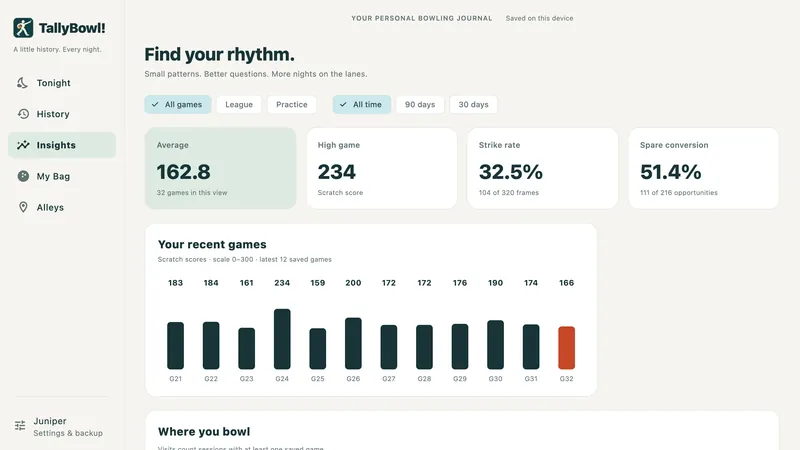
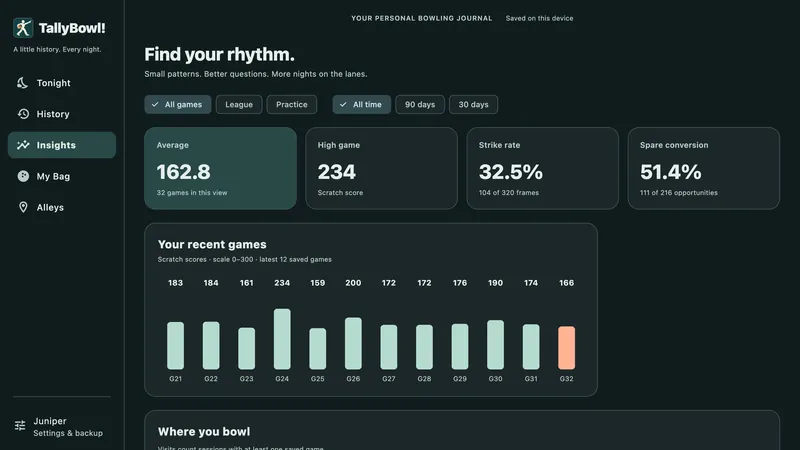
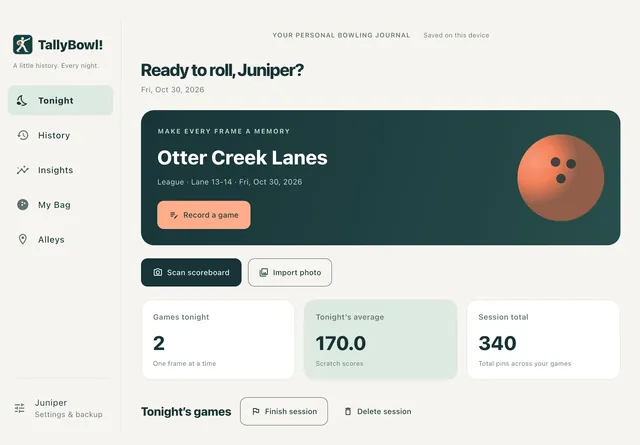
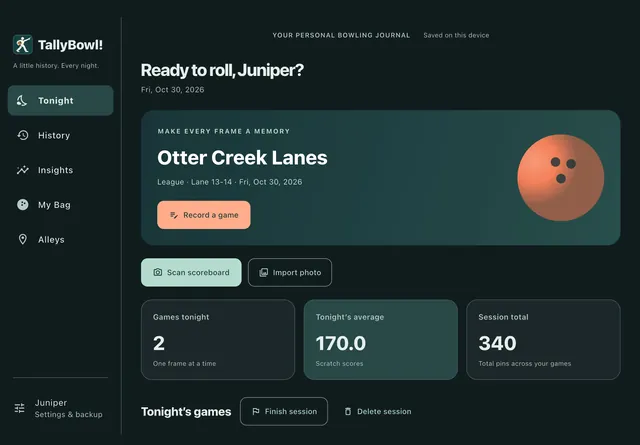
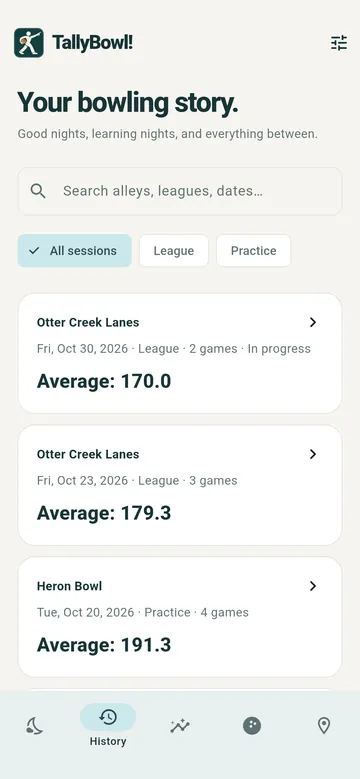
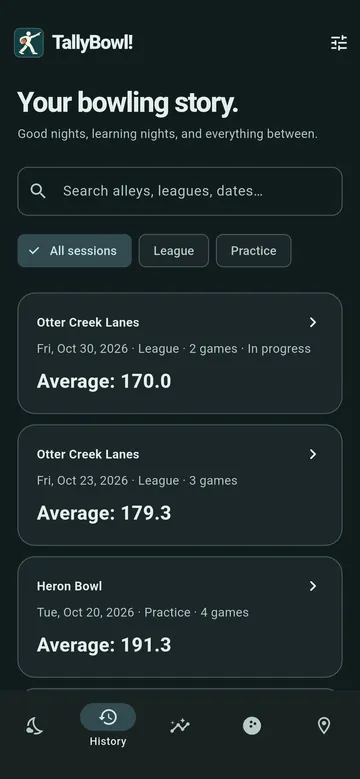
Tally ho!
TallyBowl! is coming in 2027. Here’s what to expect at launch.
For iPad & Mac
$9.95
Planned App Store price
For Android devices
$9.95
Planned Google Play price
The App Store and Google Play versions are purchased separately, with no subscription. Store links will appear here when TallyBowl! is available. Follow along for launch news.
Before you lace up
A few things you might be wondering before your next game. You can also ask for support and follow updates.
No. TallyBowl! doesn’t connect to your center’s scoring system, and nobody at the center needs to sign up, install anything, or even know you’re using it. Everything starts with a photo of the score screen.
Take or import one photo of the final score screen, with all ten frames and your name showing. TallyBowl! reads it on your device, finds your row by the name or nickname you’ve set, and fills in your frames when every delivery agrees with the running totals. If anything is uncertain, it asks you to choose your row or correct the frames.
Either way, compare every frame with the screen before you save. Score screens vary from center to center, and an unfamiliar or hard-to-read one may need more help from you. You can always enter frames by hand. The final score is calculated by TallyBowl!, never copied from the photo.
No. There’s no account to create, and recording games, reading photos, and using your saved centers all work offline.
Two things are optional and do use the internet: searching for a center and opening a map, which rely on OpenStreetMap-based services. You can type in a center by hand instead. On Android, photos are read on your device by Google’s ML Kit, which may send Google diagnostics such as device identifiers, image dimensions, and processing times. The privacy policy has the details.
On your device, in the app’s private storage. TallyBowl! doesn’t operate a service that receives your records or score screen photos, and there’s no automatic sync between devices. You can export a backup and restore it on another device, though restoring replaces that device’s journal rather than merging the two. CSV exports are available for your spreadsheets.
Yes, for tracking your own games. Start a session as practice or league, then choose the center, date, and lane or lane pair, and add a league name if you like. TallyBowl! uses standard ten-pin scratch scoring, so handicap scoring and league administration aren’t included.
Add your balls to My Bag from the offline suggestions or as custom entries, with an optional color. When you save a game, tag the balls you used and choose a primary ball if you’d like. Balls are tracked per game rather than per shot, and a retired ball keeps its history. Suggested names are only a typing shortcut, not buying advice or a statement of tournament eligibility, and TallyBowl! isn’t affiliated with any manufacturer.
Not at launch. TallyBowl! is a personal journal for one bowler. Set the names and nicknames your center’s score screen shows for you, and the app uses them to find your row.
Yes. Each session can become a recap image that you share or save. Check the preview first: your name, center and lane, balls, and date each have a privacy switch. Your original photo and other bowlers aren’t included, and TallyBowl! never posts anything automatically.
The first release in 2027 is planned for iPad, Mac, and Android. An iPhone version might come later, but isn’t planned for the first release.
The planned price is $9.95 on the App Store and $9.95 on Google Play, with separate purchases through each store and no subscription. TallyBowl! is in beta now, ahead of a 2027 launch. Download links will be added to the pricing and availability section when it launches.
TallyBowl! is an independent app created by Joe Steinbring. I’m building it as a journal for my own nights at the bowling alley.
Read the story behind TallyBowl! on my website for more about the project.
Support & updates
Have a question or need a hand? Contact Joe or reach out to TallyBowl! on either network for support, and follow along for development news and launch updates.
Created by Joe Steinbring, for bowlers who want to remember how they bowled. Joe also makes AeroSloth, a home for your GoToSocial, Bluesky, and Mastodon accounts.